
Everything you need to run a modern tech job board
Workeera covers the entire hiring journey — from listing discovery and candidate dashboards to company workflows and admin control — and automates the slow parts with AI applicant match scoring, AI resume parsing, and a guided resume builder. Take a closer look at what is built in.
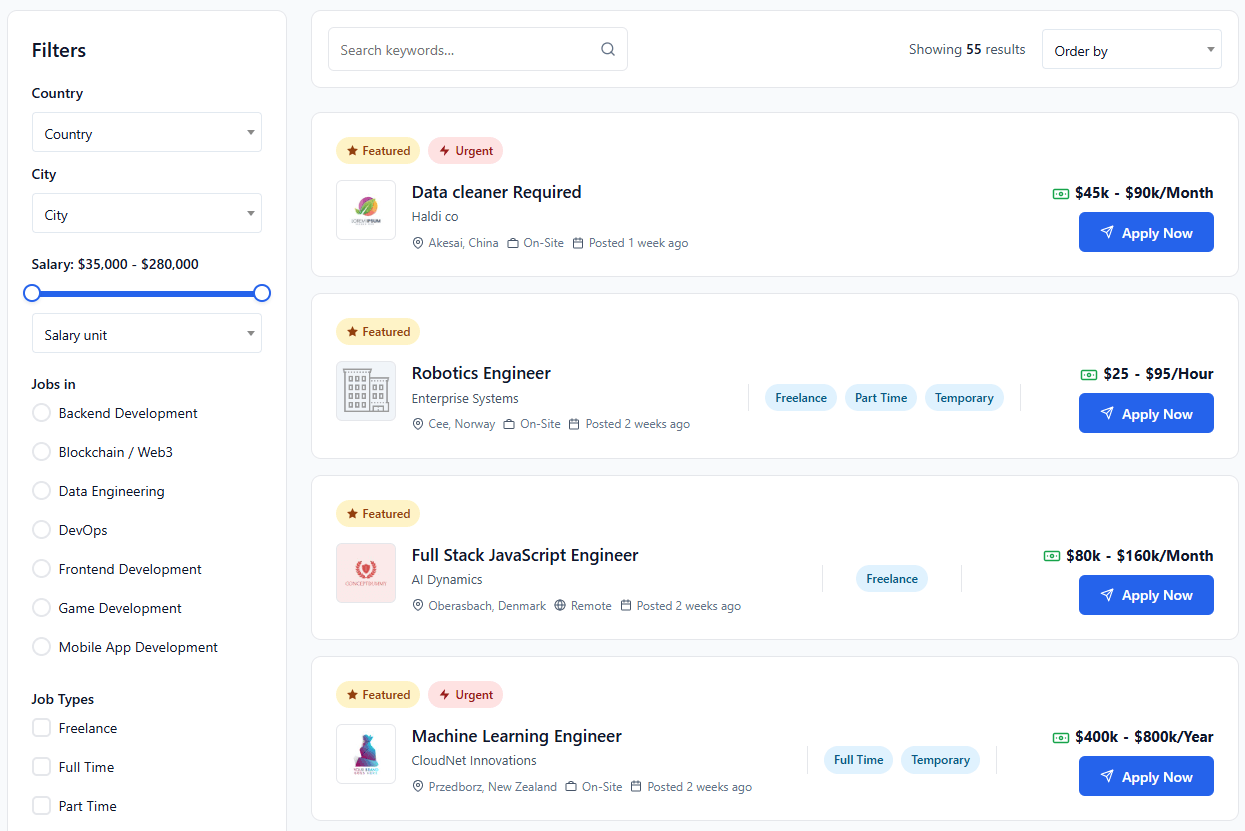
Filter-rich, tech-aware listings
A clean, results-focused listing experience. Sidebar filters cover everything engineers actually search for — location, salary, job type, timezone and dedicated tech categories.
- Search keywords + sort by recency / featured
- Country & City pickers with salary range slider
- Dedicated Tech taxonomies: Backend, Frontend, Blockchain, Data, DevOps, AI, more
- Job type chips: Freelance, Full Time, Part Time, Temporary
- Timezone filter — Chicago, Dubai, Frankfurt and more
- One-click Apply Now button with internal or external flows
Two journeys — one platform
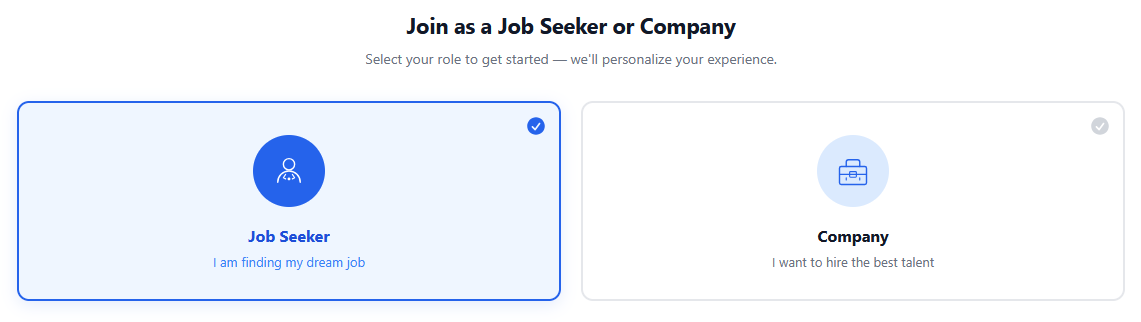
New users pick a role on sign-up — Job Seeker or Company — and Workeera instantly tailors the dashboard, capabilities and posting permissions to match.
- Friendly role-selection step on registration
- Different fields, dashboards and emails per role
- Maps to standard WP roles for compatibility
A complete candidate workspace
Everything a developer needs to manage their job search — without bouncing between tools.
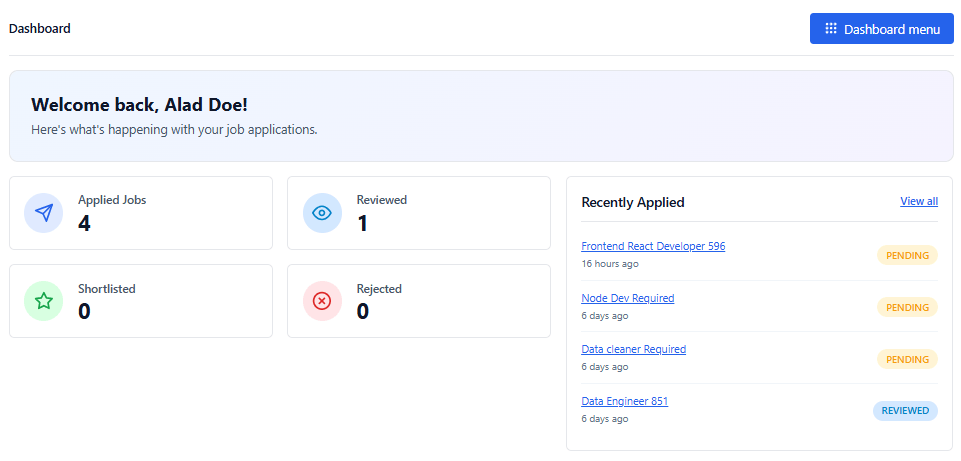
Dashboard Overview
- Personal greeting and applications summary
- Stat cards: Applied, Reviewed, Shortlisted, Rejected
- Recently applied jobs panel with statuses
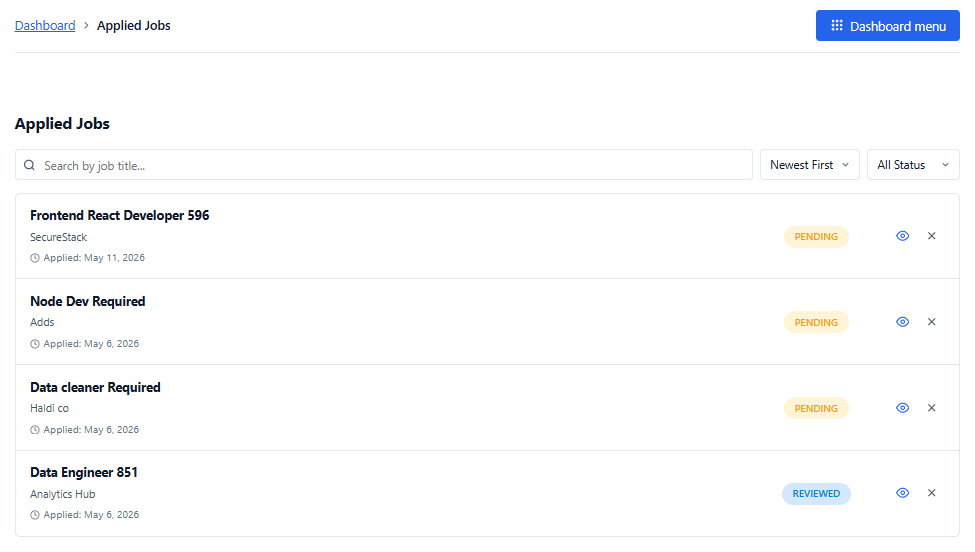
Applied Jobs
- Searchable list of every application made
- Filter by status (Pending, Reviewed, Shortlisted, Rejected)
- Quick view or withdraw any application
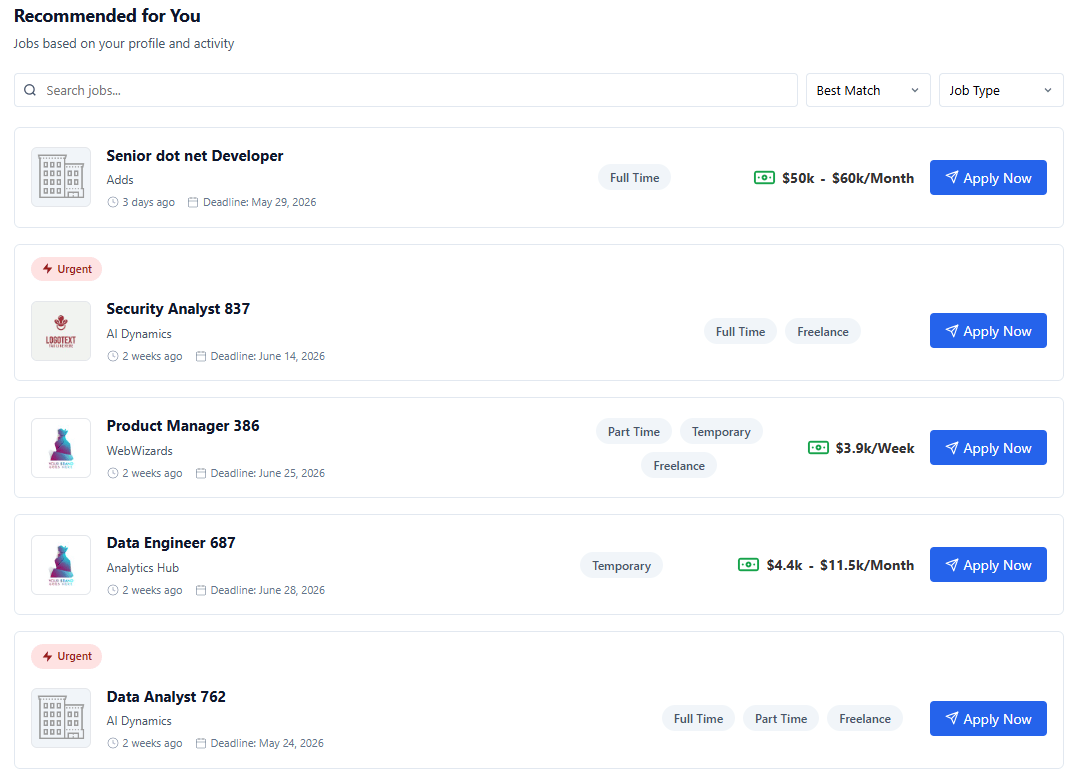
Recommended Jobs
- Smart matches based on profile & activity
- Sort by Best Match or Job Type
- Apply directly from the recommendation card
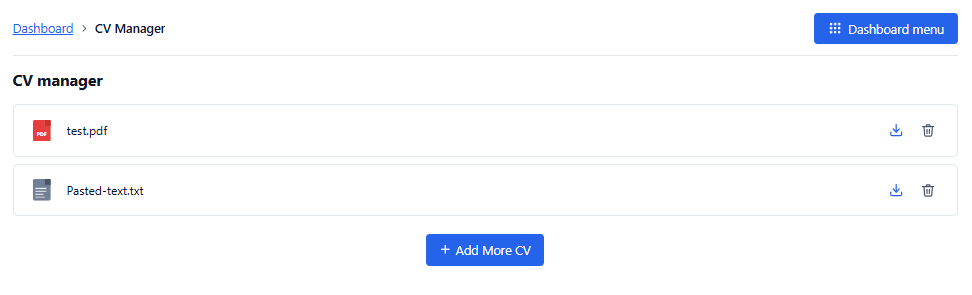
Multi-CV Manager
- Upload multiple CVs and pick the right one per job
- Supports PDF, DOC, TXT and more
- Download or delete files at any time
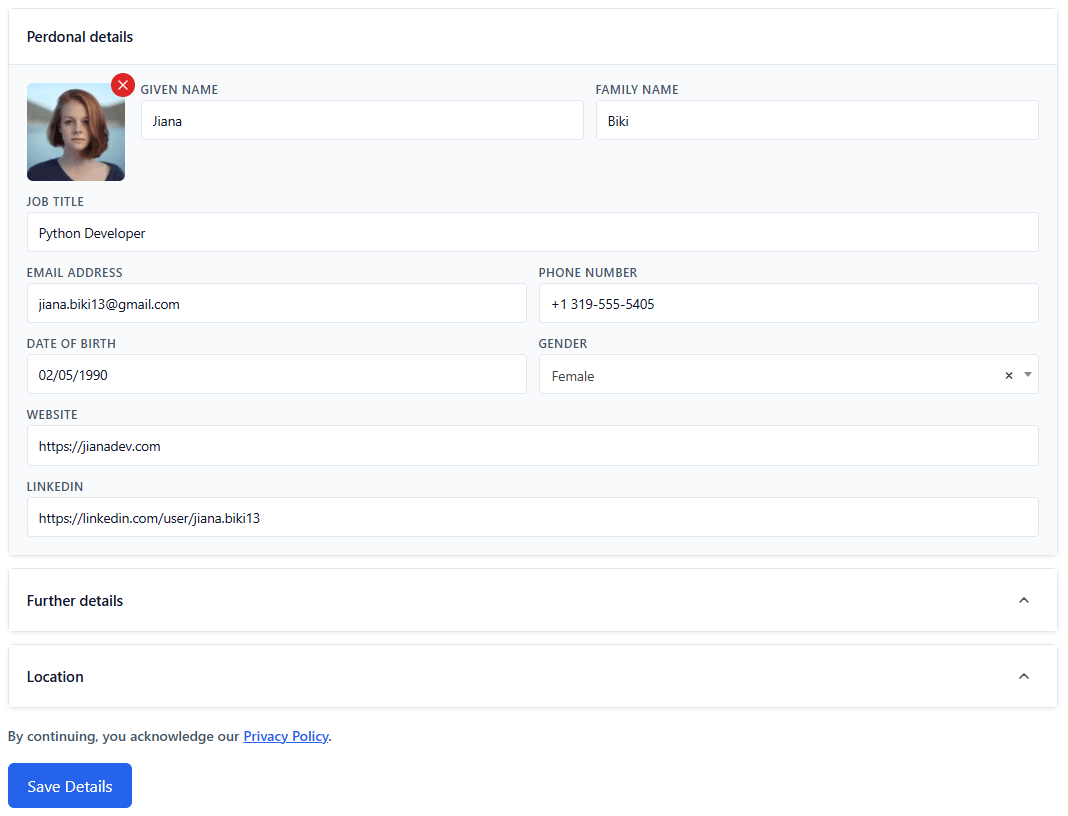
Detailed Profile Editor
- Personal details: name, job title, contact, DOB, gender
- Social: website & LinkedIn URLs
- Collapsible Further Details & Location sections
- Privacy policy acknowledgement on save
A frontend hiring pipeline
Employers manage jobs, applicants and pipeline status without ever touching WP-admin.
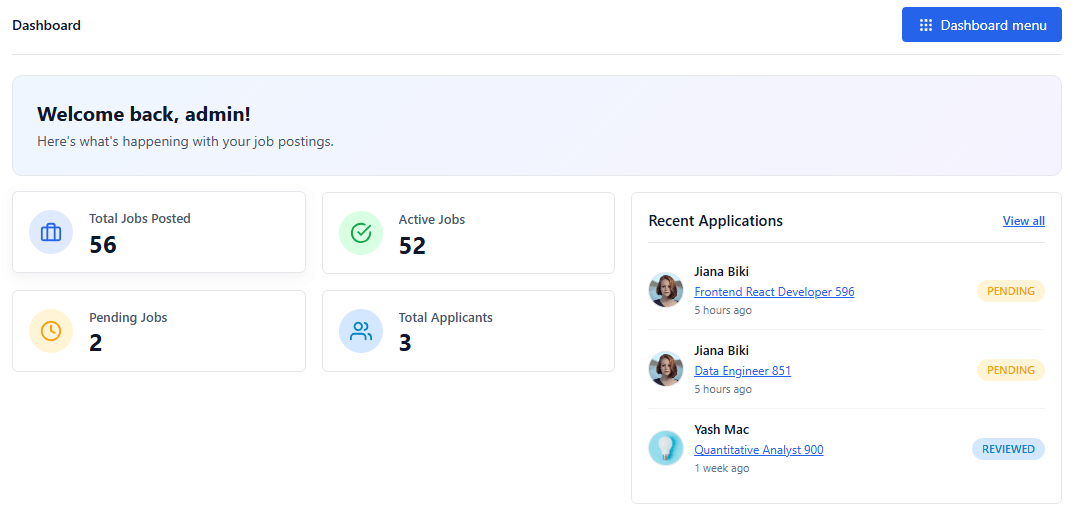
Company Dashboard
- Total Jobs Posted, Active, Pending and Applicants
- Recent applications panel with avatars and status
- Welcome banner with hiring activity summary
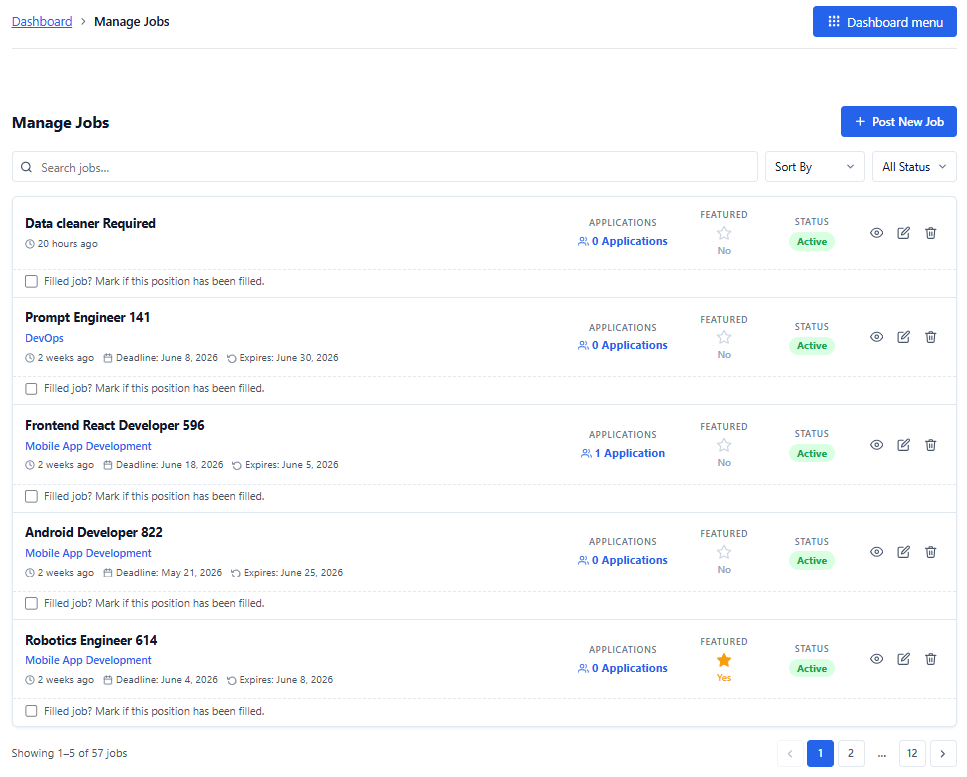
Manage Jobs
- Post new jobs from the frontend
- Edit, pause, mark filled, or delete listings
- Featured toggle & status indicators
- Sort, search and paginate with ease
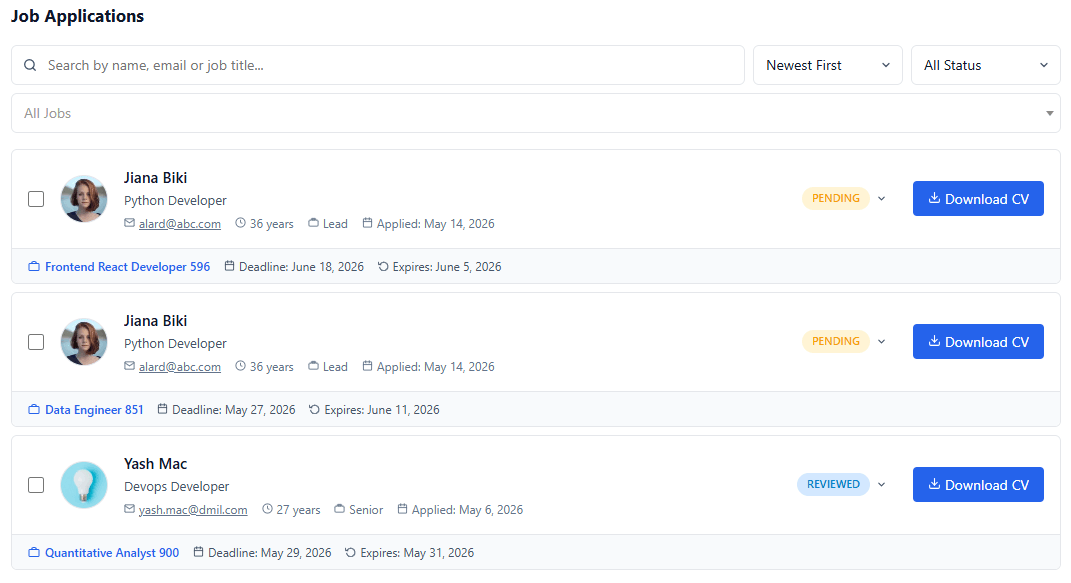
Applicant Review
- Search applicants by name, email or job title
- Inline status dropdown — Pending, Reviewed, Shortlisted, Rejected
- Download CVs with one click
- Filter by job and sort by newest first
Hire faster, apply easier — with built-in AI
Workeera automates the time-consuming parts of hiring: AI scores and ranks applicants for recruiters, while AI resume parsing and a guided builder do the heavy lifting for job seekers.
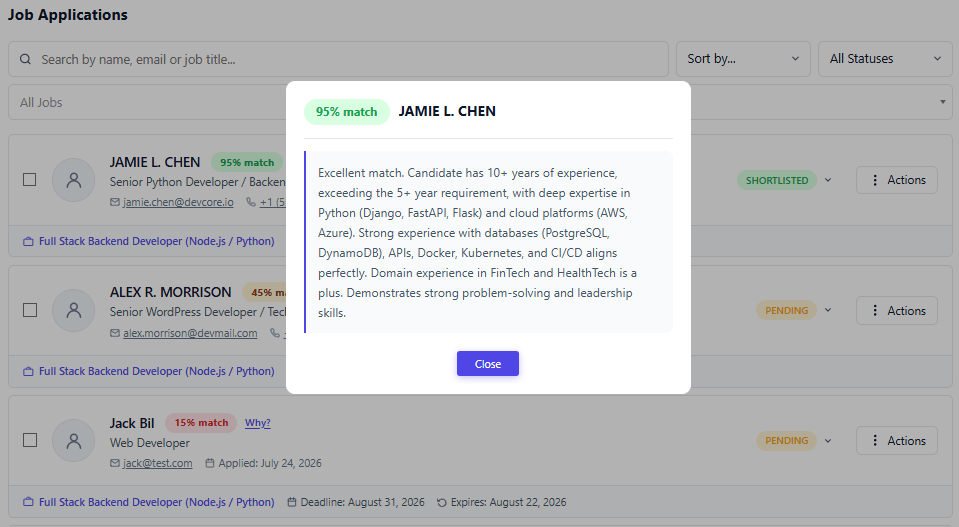
AI Applicant Match Scoring
- Every application scored 0–100 against the job, automatically
- A clear "Why?" reason behind each candidate's score
- Applicant lists sort best-match first for both employers and admins
- Automatic retries keep scoring reliable — hours of screening saved
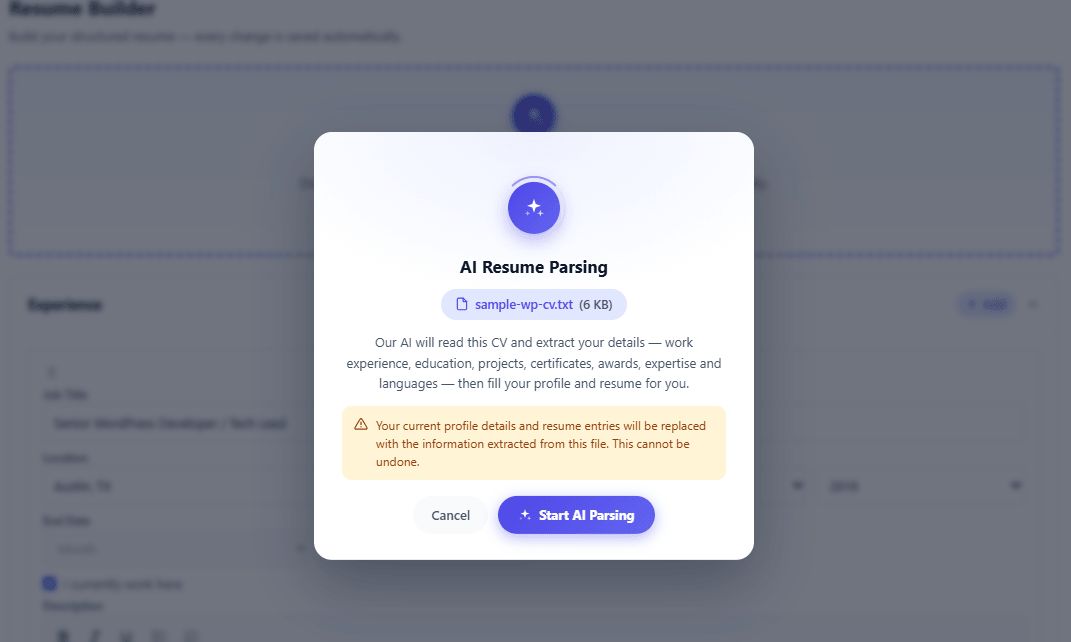
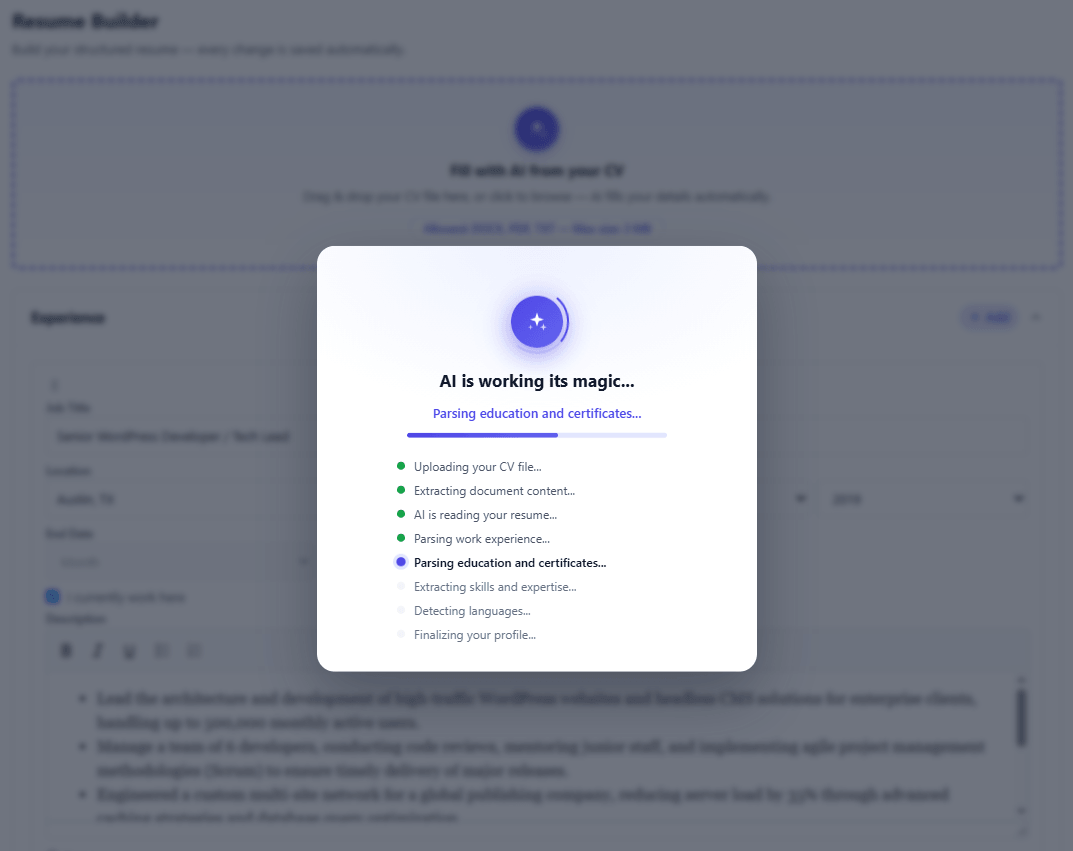
AI Resume Parsing
- Reads an uploaded CV — PDF, Word, image or text
- Auto-fills a structured, ready-to-edit candidate profile
- No manual re-typing — candidates apply in minutes
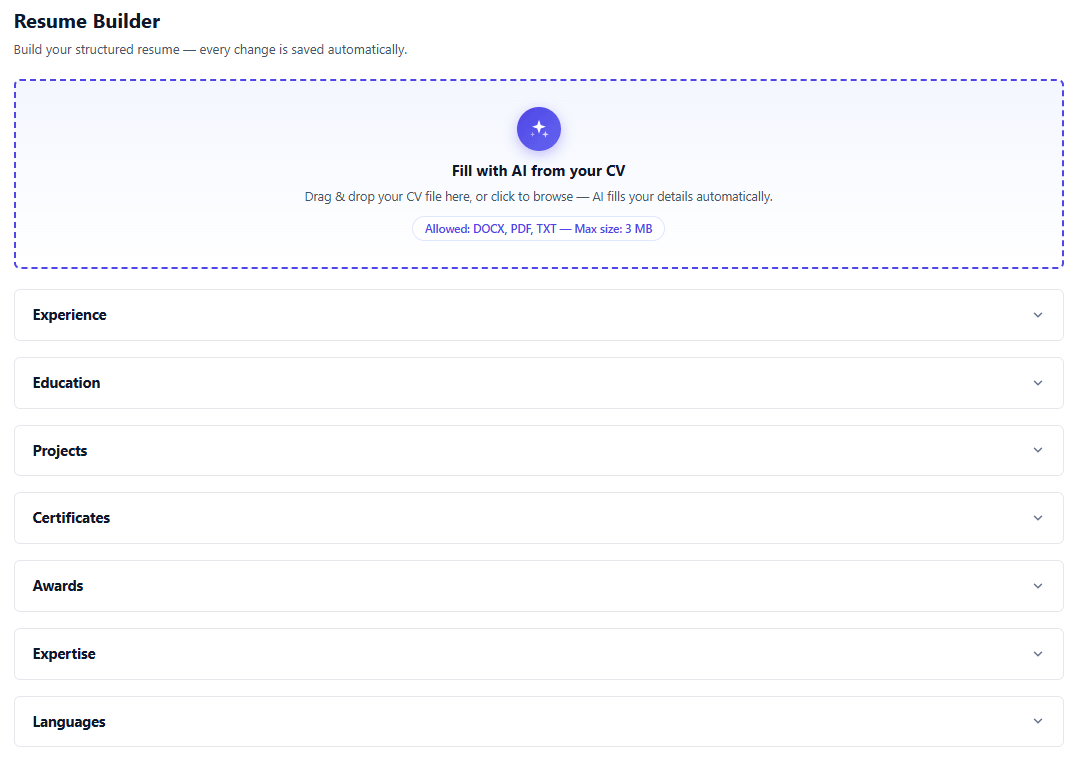
Resume Builder
- Guided sections: education, experience, projects, skills, languages
- Reorder and enable sections to tailor each application
- Gives employers a rich, complete candidate profile
Native WordPress admin — done right
Configurable, familiar, and zero-bloat. Every setting lives where WordPress admins expect it.
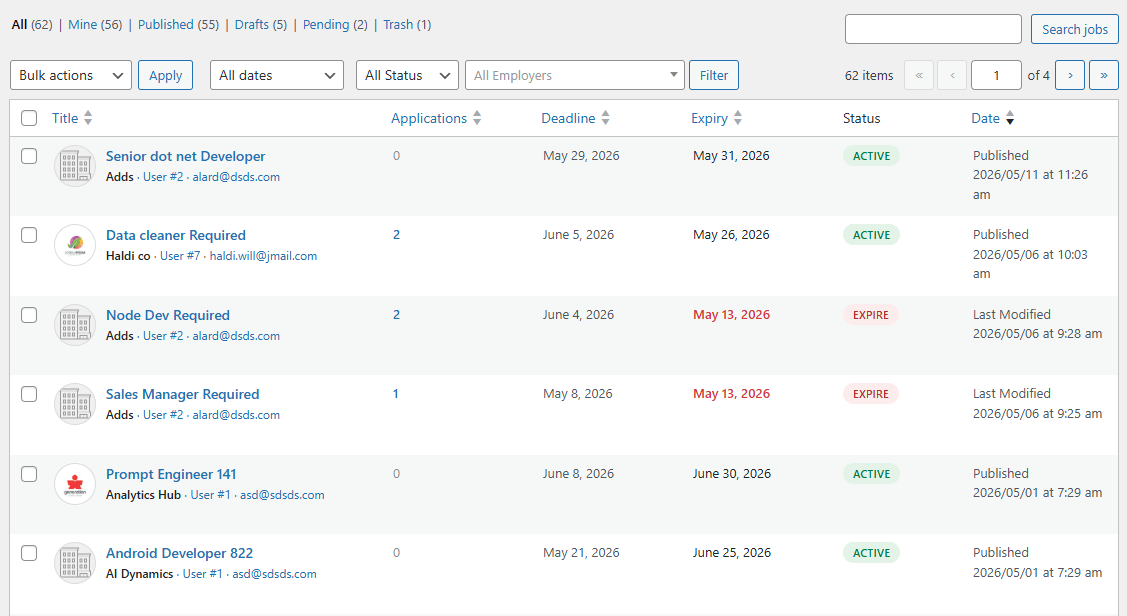
Jobs Listing (Admin)
- All / Mine / Published / Pending tabs
- Bulk actions, filter by date, status, employer
- Applications count, deadline & expiry columns
- Quick edit, trash and view inline
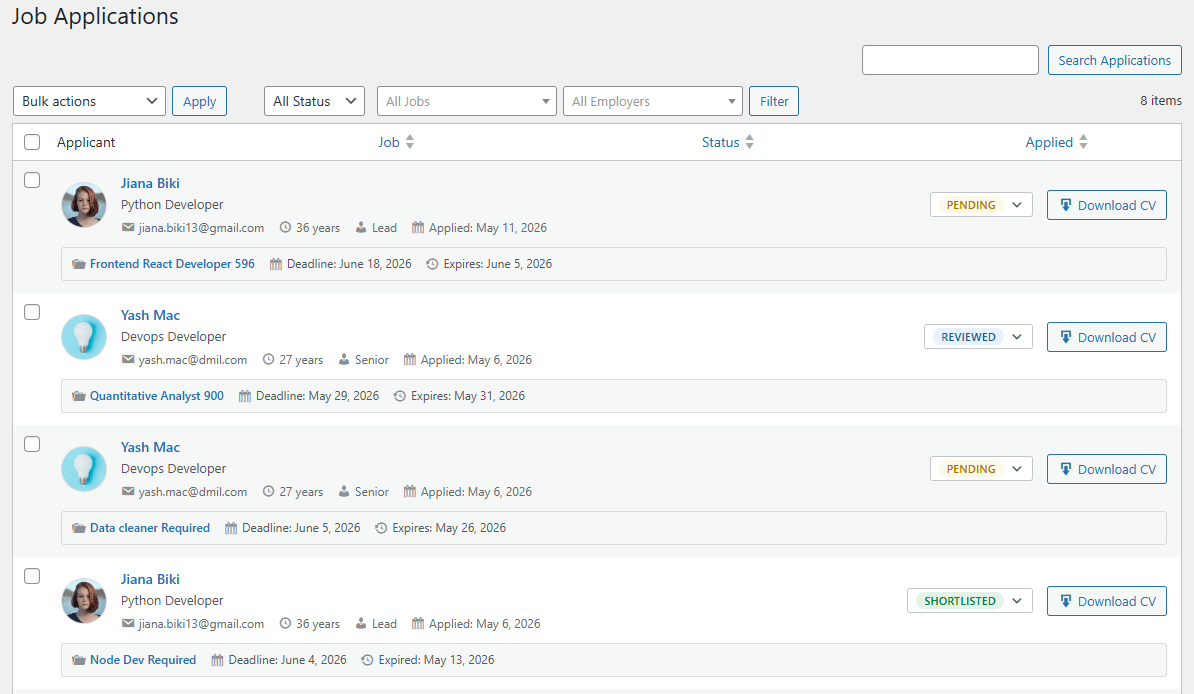
Job Applications (Admin)
- See every applicant across every job in one screen
- Status dropdown & CV download per row
- Filter by status, job, employer
- Bulk actions across applications
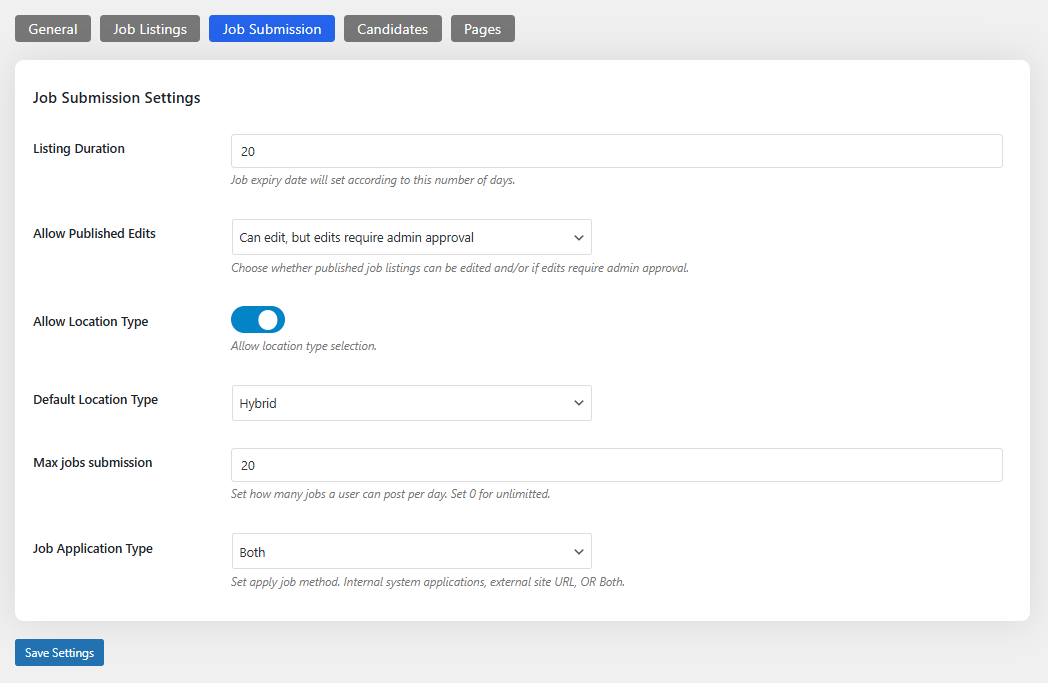
Plugin Settings
- Tabbed UI: General · Job Listings · Job Submission · Candidates · Pages
- Configurable listing duration in days
- Allow published edits with optional admin approval
- Location type toggle & default (Remote / Hybrid / On-Site)
- Max job submissions per user per day
- Application type: Internal, External or Both
Need a custom feature for your job board?
We tailor Workeera to match your hiring workflow — niche taxonomies, integrations, custom dashboards and more.